
You submitted a PF withdrawal request, saved the acknowledgement and expected the money in your bank account. A week later, the EPFO portal still says Under Process. Is something wrong, or does the claim simply need more time?
The answer depends on the claim type, the exact status, and whether EPFO has completed its checks. You can check EPF claim status online for free using your UAN on the official member portal, the EPFO passbook service or the UMANG app. If a claim has been rejected, the rejection remark usually tells you what to correct before submitting it again.
This guide covers the current tracking process, how to interpret common statuses, the latest publicly announced settlement reforms, and how to raise a grievance without giving your UAN password or OTP to anyone.
Quick answer: Where to check EPF claim status
| Official service | What you need | Best use |
|---|---|---|
UAN, password and sign-in verification | Tracking online withdrawals and transfers, checking profile and KYC | |
UAN login credentials | Checking claim progress alongside available contribution and transaction history | |
Mobile app and the authentication requested by EPFO | Tracking a claim from your phone | |
PF member ID and relevant office details, where the legacy lookup remains available | Alternative tracking when the UAN route is unavailable | |
Claim details, UAN where available, contact details | Complaints about delayed, rejected or unresolved claims |
Use only EPFO's official websites or the official UMANG app. These services do not require you to pay an agent to reveal your claim status. Do not share your UAN password, Aadhaar OTP or bank credentials with callers or unofficial websites.
How to check your EPF claim status using UAN
The member portal is often the best starting point because the claim and your KYC records are accessible under the same account.
Check your claim through the UAN portal
-
Open the official portal
Visit the EPFO Member Portal Official ↗ rather than following a link received from an unknown sender.
-
Sign in securely
Enter your UAN and password, and complete the security check shown on the site.
-
Open the claim tracker
Under Online Services, select Track Claim Status (the menu wording can change with portal upgrades).
-
Choose the relevant claim
Check the claim ID, member ID, submission date and type of claim before reading its status.
-
Read the latest remark
Open the available details to see whether the claim is pending, processed, settled, returned or rejected.
-
Save the details
Keep the claim ID and a screenshot or PDF of the status for follow-up if needed.
If you cannot log in, use the password-recovery option on the same official portal. Do not confuse the Track Application Status link for Pension on Higher Wages with the tracker for an ordinary PF withdrawal; they are different services. For account-access help, read the TaxQue UAN password reset guide.
How to check claim status through the passbook portal
- Open the EPFO Passbook & Claim Status portal Official ↗.
- Sign in with your UAN credentials and complete the captcha.
- Select the relevant PF member ID, if the portal asks you to choose one.
- Open the available claim-status view, check the stage of processing and compare any available transaction entries.
A passbook entry is useful supporting information, but it should not be treated as proof that a bank transfer has reached your account. Also, if you work for an exempted establishment with its own PF trust, EPFO's regular passbook may not show your full fund balance. Contact the trust or employer for that statement.
The EPFO passbook login expressly identifies itself as a claim-status service; it also warns users against financial-information scams. Official EPFO portal Official ↗.
How to track a PF claim in the UMANG app
On your phone, open the official UMANG app, find EPFO, choose the relevant employee-centric service and tap Track Claim. Complete the authentication requested by the app, select the claim if necessary and read its status.
UMANG also offers other EPFO functions, including viewing a passbook and filing certain claims. The feature names and sign-in screens can change over time. The EPFO employee information booklet Official ↗ confirms that claim tracking is one of the official UMANG services.
Can you check PF claim status without a UAN?
EPFO has published a Know Your Claim Status service that uses PF member-account and office details. You can reach the official entry page here Official ↗. Availability and the exact fields may vary as systems are upgraded. If it does not load, use the UAN portal or UMANG, or contact EPFO using the helpdesk information on its official website.
What does each EPF claim status mean?
The wording is not always identical for Form 19, Form 31, transfers and pension-related applications. Use the claim-specific remarks rather than interpreting a coloured icon alone.
| Claim status | Meaning | Your next step |
|---|---|---|
Submitted / Online Claim Submitted | The claim request was received by the online system | Save the claim ID and recheck after processing begins |
Pending at Employer | Some employer-dependent approval or record step remains | Contact HR about the particular issue; not every claim needs employer approval |
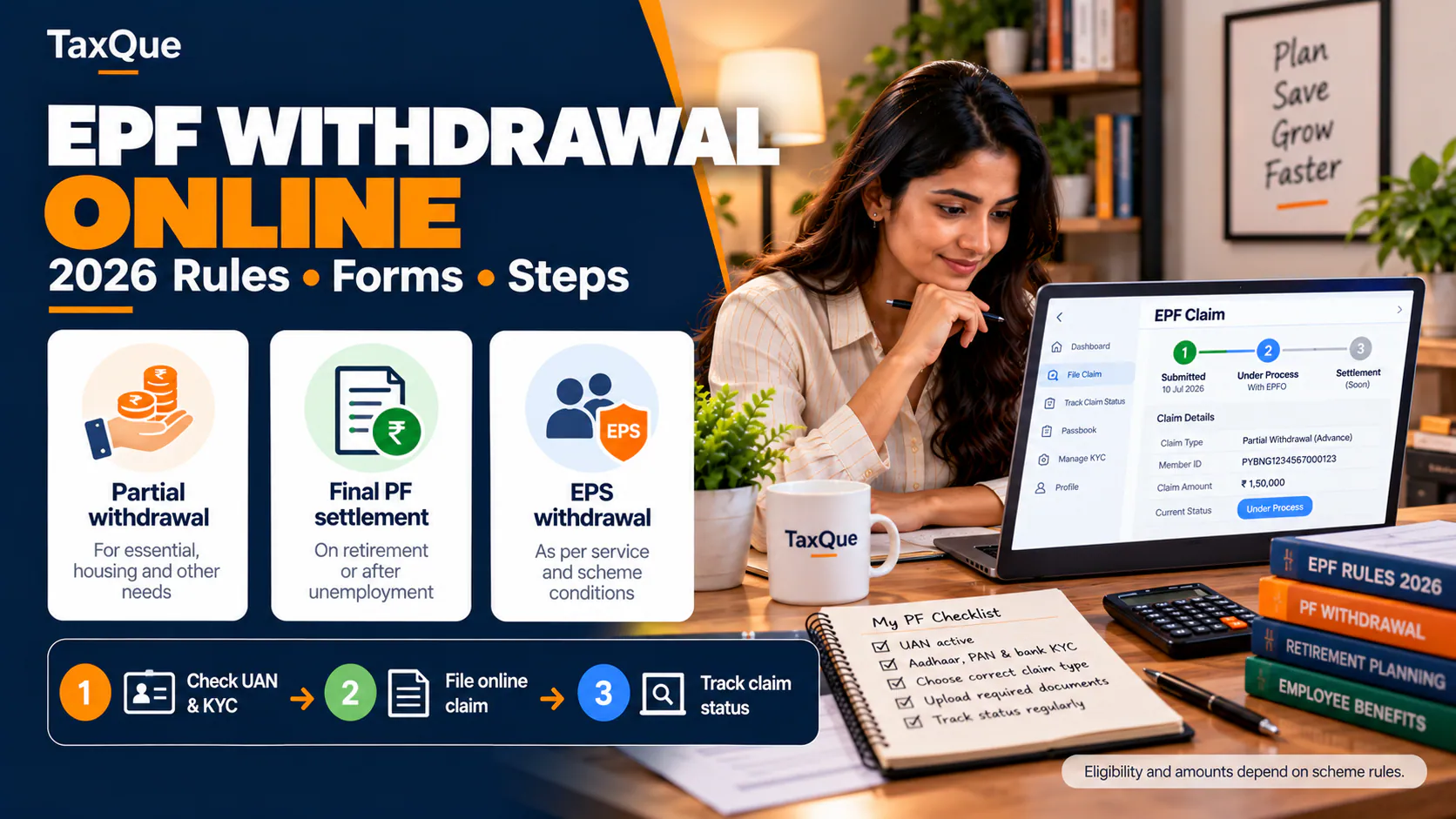
Under Process | EPFO is validating or processing the claim | Check KYC and details; do not file a duplicate claim without a reason |
Approved / Settled | EPFO reports that it has approved or settled the claim | Verify whether funds have reached the linked bank account |
Rejected | The request was not accepted | Read the exact reason, correct the record and submit again if eligible |
Returned / Payment Failed | A claim or payment has been returned or credit was unsuccessful | Verify bank information and obtain clarification through EPFO |
Transfer Completed | The transfer workflow is reported complete | Check service history and the destination account or passbook entry |
Settled is not always the same as credited. EPFO may show settlement before the banking system displays the deposit. Compare the status, your verified account details and the bank statement before raising a payment grievance.
How many days does an EPF claim take in 2026?
There is no single realistic turnaround for every claim type. The distinction between an automated advance and a manually examined claim matters.
Auto-settlement: eligible advances up to ₹5 lakh
On 24 June 2025, EPFO announced an increase in the auto-settlement limit for eligible EPF advance claims from ₹1 lakh to ₹5 lakh. The fast-track process is intended to settle qualifying claims within about three days without manual handling. This relates to eligible advance claims, not every final withdrawal, pension or transfer application. Read the Ministry of Labour & Employment announcement Official ↗.
Other claims: the 20-day benchmark
EPFO's published guidance has long described a 20-day settlement benchmark for claims complete in all respects. Some claims are quicker; discrepancies, eligibility questions, office workload or payment failures may lengthen the process. A claim pending beyond the benchmark is a reason to seek an update, not proof that it will automatically be approved or is already rejected. See EPFO's official FAQ and government explanation .
Bank-credit timing can be separate from the claim-processing time. Avoid publishing a fixed promise such as “money always reaches your account in 72 hours”.
A note on the 2025–26 withdrawal reforms
On 13 October 2025, EPFO's Central Board of Trustees announced simplified categories of partial withdrawals, including essential needs, housing and special circumstances, and a minimum service period of 12 months across the new partial-withdrawal framework. It also announced changes to the waiting periods for premature final EPF and pension withdrawals—12 months and 36 months, respectively. Subsequent official communications described these reforms in more detail.
These are eligibility and withdrawal rules, not claim-processing timelines. Whether a particular person may withdraw depends on the current notified scheme, the claim type, employment/service history and permitted exceptions. Check the current EPFO instructions before relying on a date or submitting a final-settlement claim. Official CBT release and Ministry's follow-up explanation .
Why EPF claims get rejected — and what to fix
Start with the exact rejection remark. Two applications that both display “Rejected” can require very different corrections.
| Rejection remark or issue | What to examine | Practical next action |
|---|---|---|
Bank account or IFSC mismatch | UAN-linked bank details, account status, name match | Correct or re-seed your bank account through the official member process; complete validation |
Name or date of birth mismatch | Aadhaar details versus EPFO member profile | Use the available profile correction / joint-declaration process, as applicable |
Date of exit missing or incorrect | Employer service records and member service history | Seek the applicable date-of-exit correction through the portal or employer |
Claim filed before eligibility | Claim category, employment status, service period | Confirm the current eligibility rule before applying again |
Previous member ID or service not reflected | Old and current employment records | Resolve transfer, service or linking discrepancies |
Contributions missing | Passbook, monthly payroll deductions, ECR record | Ask the employer to reconcile its ECR and deposits; escalate if unresolved |
Payment returned | Bank account closure, incorrect account details or failed credit | Correct banking information and lodge a payment-specific EPFO grievance |
Special documentation requested | Documents actually required for that claim type | Supply only the specified evidence through the official channel |
Important: Bank KYC and cheque-upload rules changed in 2025
Some old internet guides still advise everyone to upload a cancelled cheque or wait for an employer to approve bank KYC. That is no longer a reliable general instruction.
In April 2025, EPFO removed the general requirement to upload a cheque-leaf or attested bank-passbook image when filing online claims. It also removed employer approval for bank-account seeding after bank verification. Members still need accurate banking information, and particular claims may have their own verification requirements. Official EPFO reform announcement .
EPFO also simplified PF transfer processing in 2025 by removing employer intervention for most, not all, eligible transfer claims. Do not tell every rejected transfer claimant to wait for HR approval unless their actual status or eligibility requires it. Official transfer reform explanation .
EPF claim rejected: a practical correction example
Suppose you applied for a PF withdrawal and the claim was rejected because your linked bank-account number was incorrect.
You should first compare the number and IFSC shown in your UAN profile with your bank's records. Correct the entry through EPFO's permitted bank-KYC workflow, finish verification, and then submit a fresh claim only when the underlying issue is resolved. Do not assume that simply filing the same application again changes the bank details.
Now suppose the rejection instead says date of exit not available. Updating the bank record will not help. You need to address the missing service-history entry first, either through the available member feature, an employer correction or a formal grievance.
The general principle is simple: fix the data behind the rejection, not just the claim form.
PF claim settled but money not credited: what to do
A settled message can be reassuring, but it is reasonable to check the receiving account when the money has not appeared.
- Confirm the claim. Note its claim ID, member ID, settlement date and the amount shown.
- Check the bank statement. Search around the settlement date and subsequent working days; do not rely solely on an SMS.
- Review bank KYC. Confirm that the linked account is active and belongs to you, with accurate account and IFSC details.
- Check for a return or payment-failure remark. If the portal provides such information, save it.
- Raise an EPFiGMS grievance if the settlement appears completed but credit has not arrived, including the claim ID, date and bank-credit issue. Do not upload unnecessary sensitive documents.
Keep a short chronological record: claim submitted → status updated → settlement reported → bank account checked → grievance raised. It helps EPFO identify which stage needs attention.
How to raise an EPFO grievance for a delayed or rejected claim
EPFO operates an online grievance system called EPFiGMS at epfigms.gov.in . The portal supports PF members, pensioners and employers, and provides complaint tracking and reminders.
Raise a PF-claim grievance
-
Open the official grievance portal
Visit EPFiGMS and choose the member category relevant to you.
-
Authenticate
Enter your UAN or other requested identification and complete the official verification.
-
Choose the appropriate issue
Select the claim-related grievance category and identify the relevant member ID or EPFO office.
-
Explain the problem
State the claim type, submission date, claim ID, current status and the specific delay or rejection.
-
Attach relevant evidence
Include a rejection remark or acknowledgement if useful; never upload passwords, OTPs or unnecessary financial information.
-
Save and follow up
Record the grievance registration number, check its status and use the reminder option if the issue remains unresolved.
The EPFiGMS information page confirms online registration, grievance tracking, supporting-document uploads and reminder facilities. EPFO's helpdesk on its member portal lists 14470; consult the official member portal Official ↗ for current contact details.
Form 19 vs Form 31 vs Form 10C vs Form 13
Checking the claim type helps explain both timing and rejection reasons.
| Form | General purpose | Why the distinction matters |
|---|---|---|
Form 19 | Final settlement of EPF accumulations | Eligibility and termination/exit information are important |
Form 31 | Permitted partial EPF advance | Applicable grounds, eligible balance and service criteria matter |
Form 10C | Pension withdrawal benefit or scheme certificate, where applicable | EPS service and eligibility differ from EPF withdrawal |
Form 13 | PF transfer between eligible accounts | Old/new member IDs and service details need to match |
Form 10D | Monthly pension claim, where applicable | Pension eligibility and documents follow separate rules |
The EPFO online-claims FAQ Official ↗ explains the major forms, although some eligibility instructions in that older PDF predate the 2025–26 reforms. For current withdrawal eligibility, follow the latest member-portal and EPFO notices.
Five checks before submitting a fresh PF claim
- ○ UAN and Aadhaar-linked profile details match.
- ○ Bank account and IFSC are correct and successfully validated.
- ○ Date of joining, date of exit and member IDs are accurate.
- ○ The withdrawal, transfer or pension form is appropriate for the request.
- ○ The exact rejection reason has been corrected and any required supporting record is available.
Do these checks before trying again. A fresh application is not a substitute for correcting an inaccurate account or an ineligible claim.
For employers: prevent EPF-claim problems before employees leave
Employer payroll records still matter even though several approval steps have been removed. Errors in employee identity data, contributions, service history and exit information can delay member claims or create difficult reconciliations.
Employers should reconcile the employee register with monthly ECR submissions, resolve missing contributions, maintain correct joining and exit information, and direct employees to official EPFO services. A prompt response to genuine record discrepancies is more useful than repeatedly telling an employee to file another claim.
TaxQue's PF return filing service supports employer-side compliance workflows. Employees can also read our PF balance checking guide, EPF withdrawal guide and UAN password recovery guide.
Final takeaway: Track the claim, then act on the exact reason
Under Process generally means the claim has not yet reached its final outcome. Settled means EPFO reports a completed settlement, which you should reconcile with your bank. Rejected means you need to inspect and correct a specific problem before submitting another eligible claim.
Start with the official EPFO UAN portal, passbook or UMANG service. Use EPFiGMS if the claim is delayed, wrongly rejected or settled without receiving the funds. Keep your claim ID and supporting records together—and do not pay an unofficial agent for services that EPFO provides online.
For businesses managing EPF compliance for employees, explore TaxQue's PF return filing service.
Official sources and further reading
- EPFO — Member UAN Portal Official ↗
- EPFO — Passbook & Claim Status Official ↗
- EPFO — Know Your Claim Status Official ↗
- EPFiGMS — Official grievance portal
- EPFO — Auto-settlement limit enhanced to ₹5 lakh, 24 June 2025 Official ↗
- Ministry of Labour & Employment — Claim simplification, 3 April 2025
- Ministry of Labour & Employment — CBT partial-withdrawal decisions, 13 October 2025
- Ministry of Labour & Employment — Transfer-claim reform, 25 April 2025
Editorial review: 18 October 2026. EPFO services, processing times and withdrawal eligibility can change. Always verify instructions against your live official portal before submitting a claim.